Disclosure: this tool is published by HiDock, the maker of P1 and P1 mini. It can recommend neither product.
The same choices, at a glance
The finder is a shortlist, not a compatibility test. These are its complete decision rules, including the reasons to choose neither recorder.

- Approved recording already works, or policy requires a visible meeting bot: keep the approved option.
- No Bluetooth earbuds: start with native or approved software recording for this call workflow.
- Laptop plus Bluetooth earbuds, with an unmet recording need: investigate P1.
- Phone or tablet plus Bluetooth earbuds, with an unmet need: investigate P1 mini.
- An equal mix of laptop and phone: compare both connection plans before choosing.
What actually differs
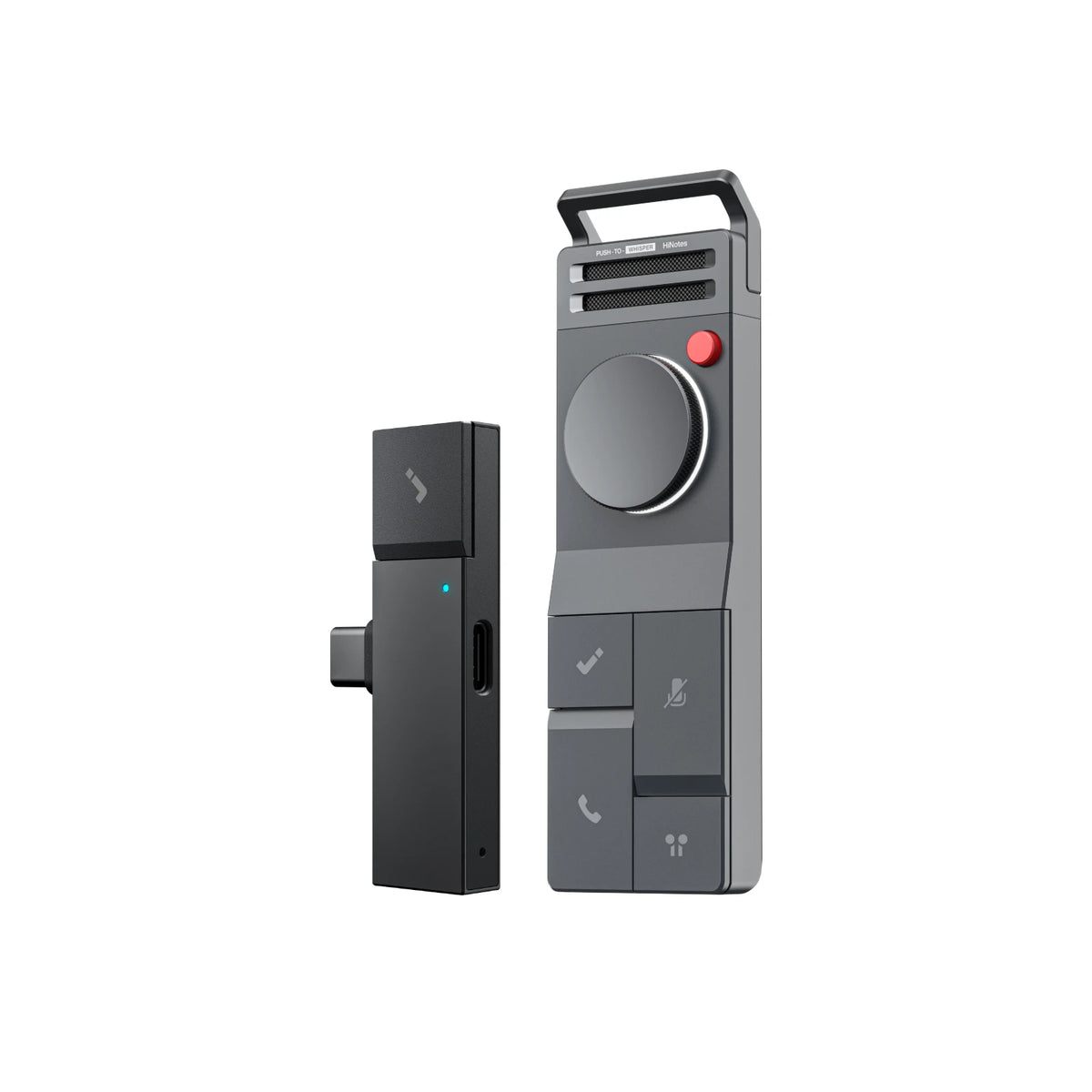
Size changes what you carry; it does not establish which calls you can record. HiDock lists P1 at 126 × 38 × 15.8 mm and 72 g, versus P1 mini at 25.4 × 60.6 × 7.8 mm and 12 g. The opening image shows the actual product designs from HiDock’s official product gallery; use the listed dimensions for size, rather than measuring the image.
P1 offers Call, Room and Whisper modes; P1 mini offers Call and Room. The manuals describe another practical difference: P1 mini has no built-in battery and needs connected power. P1 supports standalone Room and Whisper recording.
P1’s supplied touch-control cable suits a cabled desk setup. P1 mini’s plug-in form makes connector access and phone-case clearance a practical pre-purchase check. Write down any adapters you would need rather than assuming a connector alone confirms support.
Specifications checked October 9, 2026 on the two official product pages. The mode names and dimensions are manufacturer claims; no audio-quality or battery test is presented here.
| Manufacturer-listed feature | P1 | P1 mini |
|---|---|---|
| Recording modes | Call, Room and Whisper | Call and Room |
| Weight | 72 g | 12 g |
| Depth | 15.8 mm | 7.8 mm |
A laptop-support detail to confirm
The official pages currently disagree about P1 mini on computers. Its individual product FAQ lists USB-C laptops and PCs; the P1 + P1 mini bundle FAQ says it does not work with laptops. We cannot resolve that conflict with a product label or a smaller connector.
If laptop recording matters, get current confirmation for your exact computer, OS, app, earbuds, firmware and connection before choosing P1 mini. The phone-first suggestion is a starting point, not a claim that laptop use is impossible. P1 is also listed for some phones, so laptop-first does not mean laptop-only.
Save your setup checklist
For mixed work, fill this in twice: once for the laptop and once for the phone. That exposes a missing cable, an awkward case or an unsupported assumption before the first important call.
After setup, make a short test recording with permission and listen for both voices. Recording rules and workplace policies vary; obtain the required consent before recording.
- Host device and OS: ____________________
- Call app or call type: ____________________
- Earbud model, firmware and connections: ____________________
- Official support confirmation, checked date and unresolved questions: ____________________
When neither adds enough value
If an approved meeting app already gives you usable recordings, start there. If you do not use Bluetooth earbuds, the earbud problem this finder addresses may not apply. Room recording is a separate decision; a phone or an approved room recorder may be enough.
Choose hardware to solve a specific gap, not because a quiz returned a product name. Check current official instructions, accessories and terms using the links below.