Meeting Capture Lab

Can you record calls through Bluetooth earbuds—without a meeting bot?

With the required consent, yes—but only if your setup captures both voices. Start with the device hosting the call, then run a one-minute playback test.

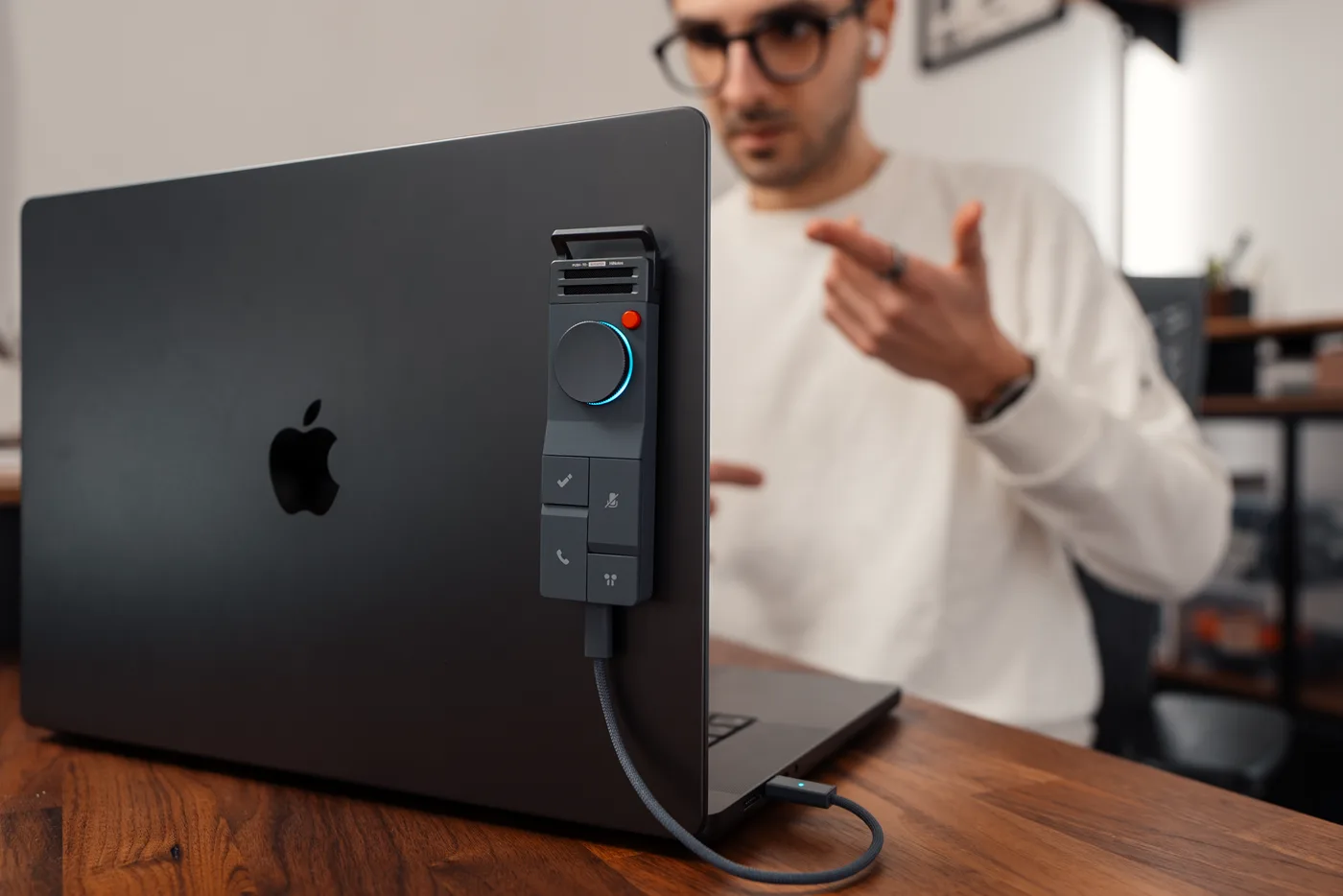
HiDock P1 recorder beside a laptop and Bluetooth earbuds

The short answer

When Bluetooth earbuds handle the remote voice, that audio may never reach the recorder on your computer or phone. The practical test is simple: can your setup capture both your voice and the person on the other end? Check with a short call before you rely on it.

Bot-free does not mean consent-free. Get permission and follow your workplace and platform rules. Then choose among a platform's built-in recorder, an approved local app, or dedicated hardware. If a built-in option already works, you may not need another device.

Choose your starting path

Where the call happensStart withVerify before relying on it
Laptop + Bluetooth earbudsApproved native or local software; P1 is HiDock's laptop-first hardware pathExact OS, meeting app, earbud model, firmware, and two-sided playback
Phone or tablet + Bluetooth earbudsApproved native option; P1 mini is HiDock's phone-first hardware pathExact device, OS, call type, case clearance, firmware, and two-sided playback
People together in one roomAn approved room recorder or native phone optionConsent, microphone placement, background noise, and playback
Policy requires a visible botThe organization-approved meeting botAdmin, participant, storage, and platform rules; do not bypass the policy

Run this check before an important call

Treat every new device, operating-system update, meeting app, and earbud combination as unverified until you test it. A one-minute practice call can prevent a missing remote voice or an unusable recording.

  • Confirm participant consent and your workplace, client, and platform rules. If permission is unclear, do not record.
  • Write down the exact call device, app, Bluetooth earbuds, capture method, and recording mode.
  • Make a short disposable call and have both people speak, pause, mute, and reconnect once.
  • Play back the file before the real call. Confirm that both voices are present and understandable.
  • Decide who may access the recording, where it will be stored, and when it should be deleted.

When P1 or P1 mini may be the wrong answer

Use a native recorder or an organization-approved meeting bot when you need visible participation, admin controls, shared cloud recordings, chat or screen context, or calendar automation. Choose neither HiDock device when your exact setup is unverified, Bluetooth earbuds are not central to the problem, or hardware would only duplicate a workflow that already works.

P1 is HiDock's laptop-first offer, while P1 mini is its phone-first offer. Those labels can guide your research; they are not universal compatibility promises.

What we know—and what we still test

HiNotes is published by HiDock, the maker of P1 and P1 mini. Product details on this page come from HiDock's current documentation; we do not treat those details as proof that a device works with every setup.

A completed lab guide will name the device, firmware, operating system, meeting app, earbuds, test date, setup steps, observed results, and failure conditions. Where permission allows, it will also include an unedited sample.

Until a setup passes that process, we call it unverified. We do not publish anonymous rankings or claim one recorder is ‘best’ for everyone.

Disclosure: HiNotes is published by HiDock, the maker of P1 and P1 mini.